
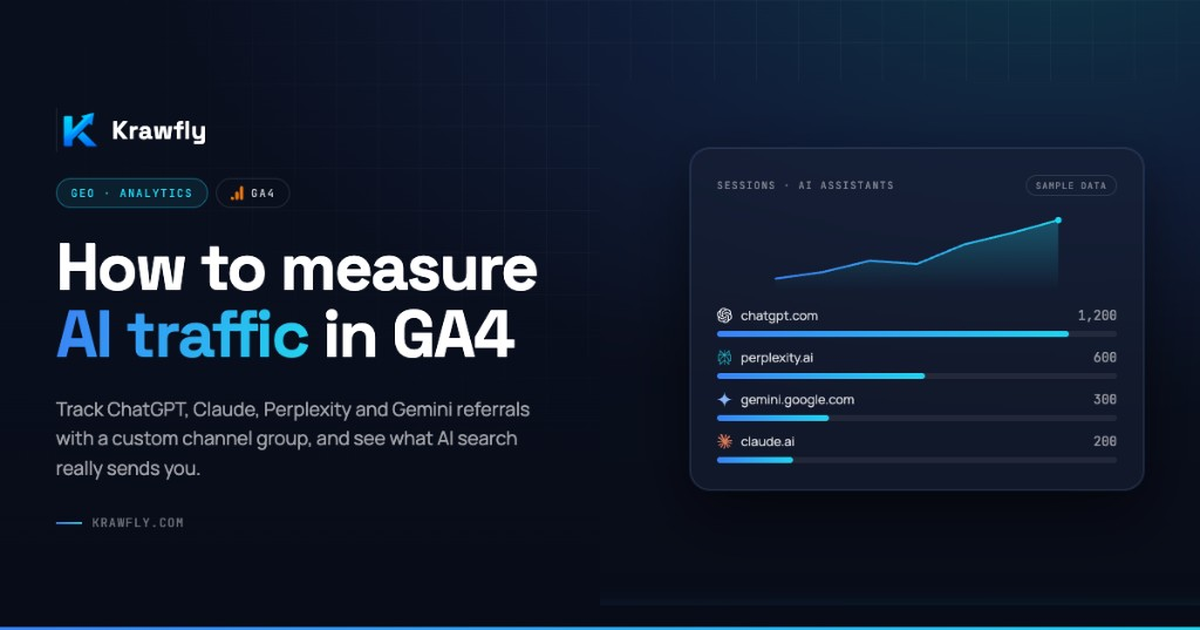
How to Measure AI Traffic in GA4
AI Visibility shows whether you appear in AI answers. AI Traffic shows what happens when those answers send visitors to your site. How to use GA4’s native AI Assistant channel, when a custom group still helps, and why Direct hides part of the story.
AI Visibility tells you whether your brand or products appear in AI-generated answers. AI Traffic tells you what happens when those answers send visitors to your website.
As AI assistants increasingly influence product discovery, ecommerce teams need to measure both sides of the equation. A store can be highly visible in ChatGPT, Gemini, Claude or Perplexity and still generate very little measurable traffic.
That is why AI Visibility and AI Traffic should be measured together.
What is AI traffic?
AI traffic is website traffic generated by AI assistants and AI-powered experiences — for example ChatGPT, Google Gemini, Claude, Perplexity, and other answer engines.
When an AI response contains a link to an ecommerce website and a user clicks it, that visit can appear in analytics as a referral from the AI platform. This creates an acquisition channel that traditional SEO reporting does not fully describe.
How to find AI traffic in GA4
In Google Analytics 4, start here:
Reports → Acquisition → Traffic acquisition
The report exposes traffic-source dimensions such as Session source, Session medium, Session source / medium, and Session default channel group. Use them to see where sessions originate and how visitors reach your site.
Practical path
- Open Traffic acquisition
- Inspect Session default channel group — look for AI Assistant
- Also check Session source / medium (e.g.
chatgpt.com / ai-assistant) - Break down by Landing page for the product URLs that matter
- Compare against conversion events finance already trusts (purchase, lead, add_to_cart)
The native AI Assistant channel
Here is the important update: you do not necessarily have to build everything by hand.
GA4 includes a Default Channel Group channel for AI assistants. Google explicitly names sources such as ChatGPT, Gemini, DeepSeek, Copilot, and Grok. For recognised sessions, GA4 can set medium ai-assistant and file them under AI Assistant — no custom channel group required.
Always verify the live list in Default channel groups — Google can extend or change it.
Limits to know:
- Not retroactive for sessions collected before rollout on your property
- Missing referrer (app, webview, copied URL) → often still Direct
- Google AI Overviews / AI Mode are not this channel — they belong in Search Console. See how ecommerce brands appear in Google AI Overviews.
When a custom channel group still helps
Claude and Perplexity often do not land in the native channel and stay in Referral (or elsewhere).
If you need them in one operational view:
- Create a custom channel group
- Rules on source/host such as
claude.ai,perplexity.ai(plus UTMs if you use them) - Optionally include native sources too if you want a single “full AI” row for internal reports
That complements the native channel — it does not replace it.
But there is an important limitation
Not every AI visit will be identifiable as AI traffic.
GA4 classifies traffic as (direct) / (none) when it does not receive clear referral information — missing source data, app/browser handoffs, copied URLs, in-app webviews, delayed visits (“I asked ChatGPT yesterday, bought today”).
The path from an AI assistant to a website varies by platform, browser, app and user journey. Therefore:
GA4 can measure identifiable AI traffic, but it should not be treated as a complete measurement of AI influence.
Absence of a clean AI referral does not prove absence of AI influence. It proves absence of clean attribution.
AI traffic is only one part of the picture
Consider two ecommerce stores.
Store A — frequently appears in AI answers, products are cited, products are recommended, and it generates AI referrals.
Store B — receives a few AI referrals, but is rarely cited or recommended.
Looking only at GA4 could make Store B look similar — or even better — in some periods. The underlying AI Visibility is completely different. Traffic without context is a partial scoreboard.
AI Visibility + AI Traffic
A more complete measurement framework:
AI Discovery
  → Citation / Mention
  → Recommendation
  → AI Traffic
  → Engagement
  → Conversion / Outcome
GA4 is particularly useful from the traffic and outcome stages onward. AI Visibility monitoring explains what happened before the visitor arrived.
| Question | Answered by |
|---|---|
| Are AI systems discovering and recommending my products? | AI Visibility |
| Are users coming from those systems, and what do they do on-site? | GA4 |
| Are the two moving together over time? | AI Impact (triangulation) |
Neither dataset tells the whole story alone. The interesting part is the connection between them.
How Krawfly connects the signals
Krawfly combines AI Visibility data with website activity into a broader view of AI Impact. Signals include:
- AI crawler activity
- Product citations
- Brand and product mentions
- AI recommendations
- AI-generated traffic (GA4 AI Assistant channel when the property is linked)
- Website engagement
With GA4 connected, these signals can be analysed together rather than as isolated datasets.
The objective is not to replace Google Analytics. It is to add the AI Visibility layer that happens before the click. GA4 tells you what happens after the visitor arrives. Visibility data helps explain what happened before.
The next step: AI Impact
AI traffic is an important metric, but it is not the final one. The real ecommerce question is:
Does AI Visibility create measurable business impact?
That means connecting:
Crawler → Citation → Mention → Recommendation → AI Traffic → Engagement → OutcomeThat chain is the foundation for measuring AI Impact — without pretending one number proves causation.
Checklist before you present numbers
- Property timezone and currency are correct
- Conversion events match what finance trusts
- You use the native AI Assistant channel (and custom rules for Claude/Perplexity if needed)
- You separate attributed AI from Direct hypotheses
- You pair the period with visibility scans
- You say correlation, not causal proof
Series navigation
← AI Visibility vs AI Traffic
← Cited vs mentioned
→ How ecommerce brands appear in Google AI Overviews — Search Console, not GA4
→ AI Traffic: from visibility to real website visits — the funnel narrative
Connect GA4 in Krawfly and open AI Impact →
Official references
Free Tool · No signup
What's your store's AI Visibility Score?
Paste any store or product URL. Get a score 0–100 with a breakdown of what AI agents can and can't read — in seconds.